
Free
RM 0
No card needed
- Unlimited quotations and invoices
- Unlimited customers and price list
- 15 AI actions a month, 30 after you verify your phone
- A small “Made with invoisapp.com” line on your documents
Every item and price is on the page, so “why so expensive?” is answered before your customer asks.

 Soon
Same job, same RM 200. Tap to compare
Looks fair. Saturday morning can?
Quotation accepted
CustomerRM 80 a unit, and now I know what a service covers.
YouYour standard rate, the same for every customer.
CustomerThe gas is only for the bedroom unit. Makes sense.
YouThe customer agrees to the extra work before you start.
CustomerI can drop this one if I want to spend less.
YouIf they drop it, your other rates stay where they are.
CustomerRM 20 for transport and parking. Fair enough.
YouThe cost that’s easy to forget to charge.
CustomerYour customer trusts the price.
YouYou stop quoting too low.
No extra work. Your saved prices fill in every line for you.
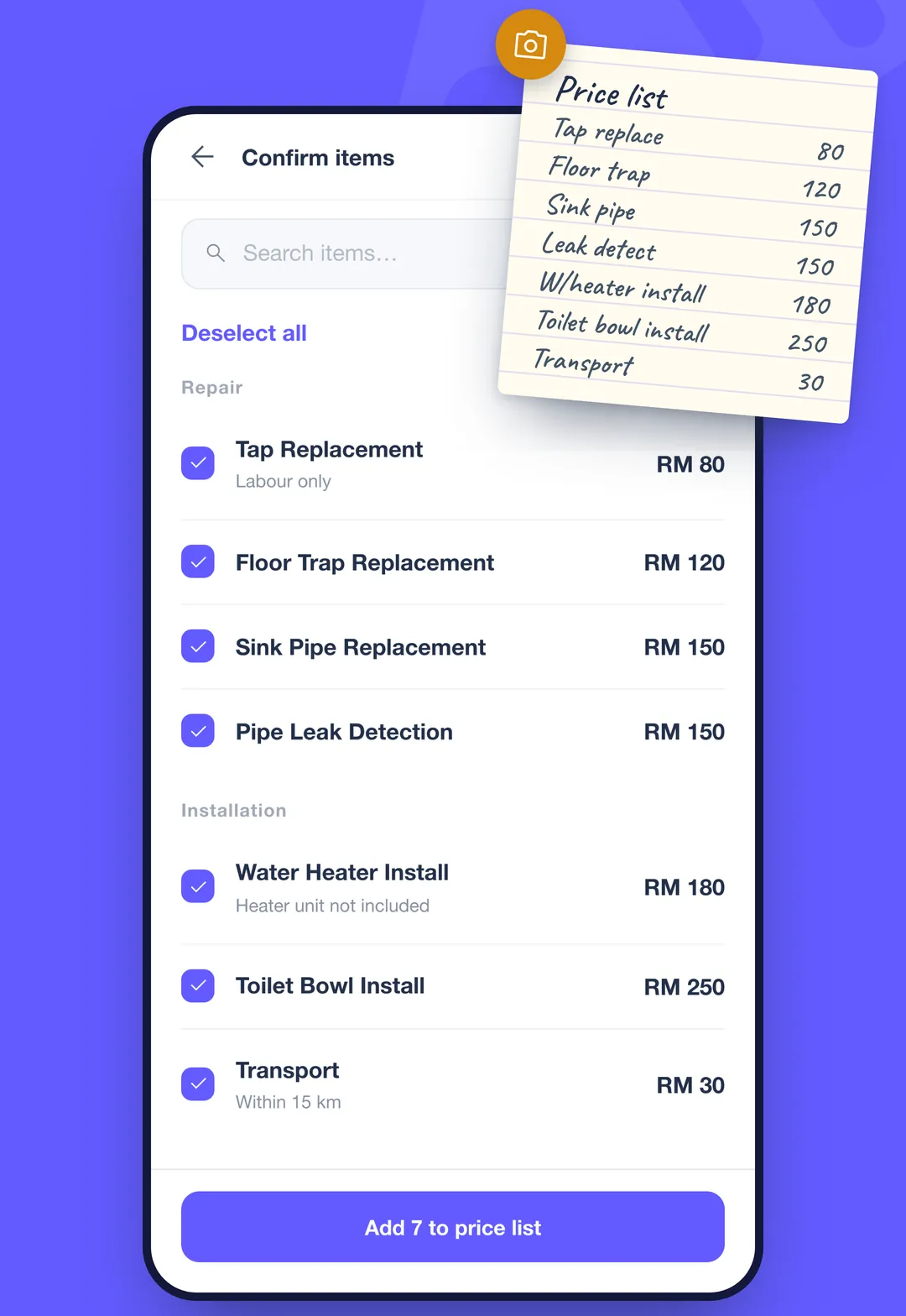
List what you charge for, including the small things that are easy to forget. Or snap your old price list and AI sorts it into items.
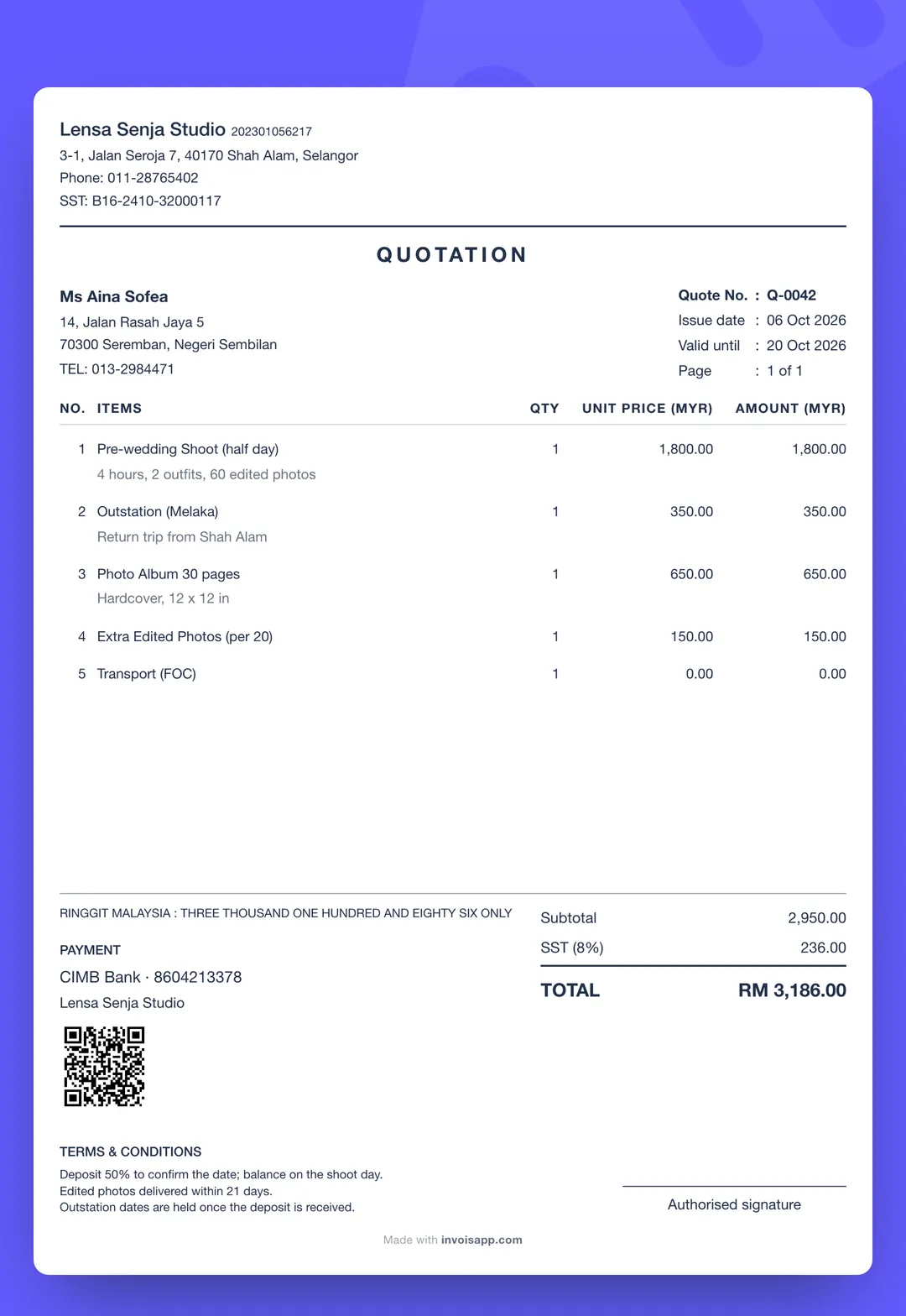
Tap items from your list, or describe the job in BM, English or Chinese and AI fills them in. Out comes an itemised PDF, with SST on its own line.
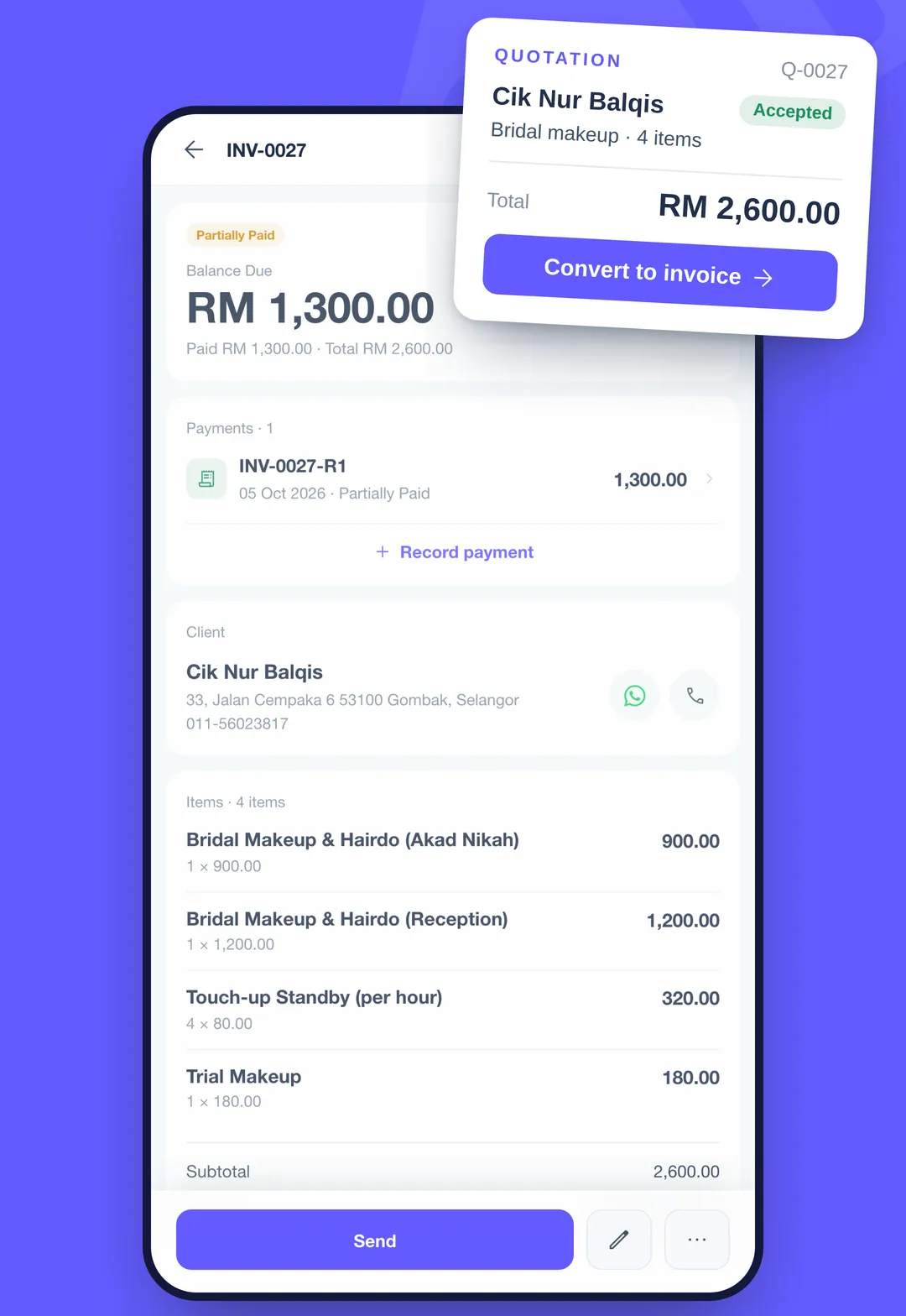
Send the PDF on WhatsApp or any other app. When they agree, one tap turns it into an invoice. Record the deposit and each payment, and Invois shows what is still owed. A receipt is one more tap.
Sample quotation. Your prices, your business details.
Describe what you charge for. AI turns it into items with prices.
Describe the job in BM, English or 中文, or mix them in one sentence.
Covers what you need, ready in seconds. Change anything you like.
15 AI actions a month free, 300 on Pro.
The whole app comes in Bahasa Melayu, English and 中文. Switch any time.
Collect the rest in one go or in parts, and record each payment as it comes in.
Open the app and start quoting. Verify your phone later to back up your data.
RM 0
No card needed
RM 19.90/ month
or RM 190 a year
Yes, and no card is needed. Quotations, invoices, customers and your price list are unlimited. You get 15 AI actions a month, or 30 after you verify your phone. Free documents carry a small “Made with invoisapp.com” line. Invois Pro is RM 19.90 a month or RM 190 a year, with 300 AI actions a month and no footer line. It’s billed through Google Play, and you can cancel any time.
No. You can use Invois straight away. Verifying your phone number by WhatsApp is optional, but it’s what lets you get your data back if you change or lose your phone.
Not yet. Invois is on Android now; iOS is coming soon.
The whole app comes in Bahasa Melayu, English and Chinese. Pick one when you first open it, and switch any time under More → Language. You can also speak in any of the three, or mix them in one sentence. Words like inverter, FOC or pre-wedding stay as you say them.
No. You can build every quotation by picking items from your price list or typing a new one. Voice is there for when typing is slow, and it uses your AI allowance.
As a PDF you send on WhatsApp or any other app. They open it like any PDF, without installing Invois.
The total is the same. The customer can see what makes it up, so a big item like a gas top-up explains itself. If they want to spend less, they can drop an item, and the rest stays at your price.
Yes. Add it as an item at RM 0.00, for example travel or a first round of changes. It prints on the quotation at 0.00, so the customer sees what you include at no charge.
Yes. Add SST, ask for a deposit, split the balance into instalments, and put your SSM and TIN numbers on your letterhead. Amounts are in RM.
No. Invois is an app by EONGERRA TECH and is not affiliated with LHDN or MyInvois, LHDN’s e-Invoice system; “invois” is simply the Malay word for invoice. The app makes quotations, invoices and receipts for your customers. It doesn’t submit e-Invoices or file anything with LHDN or any other authority on your behalf.
They’re sent to OpenAI to be turned into text. We don’t keep them, and they aren’t used to train AI models. Your data is stored on servers in Singapore. Details are in our privacy policy.
In the app: More → Account → Delete account. Everything is erased permanently after 30 days. Already uninstalled? Use the account deletion page. If you subscribed to Invois Pro, cancel it on Google Play too.
Questions? Email support@eongerra.com. We read every email.
Soon